
Download DubWiz – AI Voice Generator, Free Web App, Secure & Fast
Overview
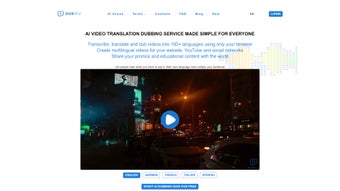
DubWiz is a full‑version AI voice generator that runs completely in the browser. Launched on Softonic on May 7th, 2025, DubWiz allows creators, podcasters, marketers, and educators to turn text into natural‑sounding speech without installing any heavy software. Because it is a web‑based tool, you can start a session instantly from any modern browser—whether you are on a Windows PC, a macOS laptop, an Android tablet, or an iPhone.
The service offers a library of more than 120 voice profiles, ranging from classic male and female narrators to expressive characters with accents and emotions. All processing is performed on secure cloud servers, which means the generated audio files are stored temporarily and are never saved on your device unless you choose to download them. This design keeps your data private while delivering studio‑grade audio quality in seconds.
DubWiz’s interface is clean and intuitive: a single text box, a voice‑selection dropdown, and a few sliders for speed, pitch, and volume. The app also supports SSML (Speech Synthesis Markup Language), enabling advanced users to embed pauses, emphasis, and phonetic hints directly in the script. While the free tier provides 2 minutes of audio per day, the premium subscription unlocks unlimited generation, higher‑resolution WAV output, and priority processing.
Whether you need a quick voice‑over for a social media post or a full‑length audiobook, DubWiz promises a smooth, low‑latency experience that rivals desktop‑based TTS engines. In summary, DubWiz combines the convenience of a web app with the power of AI‑driven speech synthesis, making it a compelling option for anyone who wants high‑quality voice content without the hassle of installations or expensive licenses.
Key Features
- 120+ AI‑Powered Voices: Includes gender‑balanced, multilingual, and regional accents.
- Real‑Time SSML Support: Fine‑tune pauses, emphasis, and pronunciation directly in the text.
- Cross‑Browser Compatibility: Works flawlessly on Chrome, Firefox, Safari, Edge, and Opera.
- Instant Cloud Rendering: Generates audio in seconds, even for long paragraphs.
- Export Options: Download MP3, AAC, or lossless WAV files with one click.
- Adjustable Speech Parameters: Speed, pitch, volume, and emotional tone sliders.
- Secure Data Handling: No local storage; audio files are auto‑deleted after download.
- Free Tier & Premium Plans: 2 minutes/day for free users; unlimited usage for paid subscribers.
- API Access: Developers can integrate DubWiz into their own apps via RESTful endpoints.
- Multi‑Platform Dashboard: Manage projects, track usage, and organize voice assets from a single web console.
Installation & Usage Instructions
Because DubWiz is a web application, there is no traditional installation process. Follow these simple steps to start generating AI voices:
- Open a Supported Browser: Launch Chrome, Firefox, Safari, Edge, or Opera on any device (desktop, laptop, tablet, or smartphone).
- Visit the Official Site: Navigate to dubwiz.com. The homepage loads instantly, thanks to lightweight HTML5 and CSS3 design.
- Create an Account (Optional): While you can test the free tier anonymously, registering lets you save projects and monitor usage. Click “Sign Up” and fill in your email or use a Google/Facebook login.
- Enter Your Text: In the central text box, type or paste the content you wish to convert. For advanced control, embed SSML tags such as
- Select a Voice: Use the dropdown menu to preview different voices. Hover over each name to hear a 5‑second sample.
- Adjust Parameters: Slide the “Speed”, “Pitch”, and “Volume” controls to match the desired tone. For emotional output, enable the “Emotion” toggle and pick from “Happy”, “Sad”, “Excited”, etc.
- Generate Audio: Click the “Synthesize” button. The cloud engine processes your request and displays a waveform preview within 2‑5 seconds for short texts.
- Download or Share: Choose the file format (MP3, AAC, WAV) and click “Download”. You can also copy a shareable link that expires after 24 hours.
- Upgrade if Needed: If you hit the free‑tier limit, a pop‑up will guide you to the subscription page where you can select monthly or annual plans.
Tips for Optimal Use: • Keep sentences under 500 characters for fastest rendering. • Use clear punctuation; commas and periods improve natural pauses. • Combine SSML tags with the “Emotion” slider for dramatic storytelling. • For bulk projects, consider the API; it supports batch submissions up to 10 KB per request.
The entire workflow is designed to be frictionless, allowing you to focus on content creation rather than technical setup. Whether you are a marketer needing a quick voice‑over or a developer building an interactive voice assistant, DubWiz’s web‑first approach eliminates the need for downloads, updates, or hardware constraints.
Compatibility, Pros & Cons, and Frequently Asked Questions
DubWiz runs on any operating system that supports a modern web browser, including Windows 10/11, macOS Monterey and later, Linux distributions with Chrome/Firefox, Android 8.0+, and iOS 13+. The service is optimized for both desktop and mobile layouts, ensuring a consistent experience across devices.
Pros
- No installation required; works directly from the browser.
- High‑quality AI voices with multilingual support.
- Secure, temporary cloud processing protects user data.
- Flexible export formats (MP3, AAC, WAV).
- Free tier available for casual users.
- API access for developers and enterprises.
Cons
- Free tier limited to 2 minutes of audio per day.
- Requires an internet connection; offline generation is not possible.
- Premium subscription may be pricey for occasional hobbyists.
- Advanced SSML features have a learning curve for beginners.
Frequently Asked Questions
Is DubWiz really free to use?
DubWiz offers a free tier that allows up to 2 minutes of audio generation per day. This is ideal for testing the service or creating short voice clips. For unlimited usage, you’ll need a paid subscription.
Which browsers are supported?
DubWiz works on the latest versions of Chrome, Firefox, Safari, Edge, and Opera. It also functions on mobile browsers such as Chrome for Android and Safari on iOS.
Can I use DubWiz for commercial projects?
Yes. The premium plans include a commercial‑use license, allowing you to incorporate generated audio into ads, e‑learning courses, podcasts, and more without additional royalties.
How does DubWiz ensure my data is secure?
All text and audio files are transmitted over HTTPS and processed on encrypted cloud servers. Generated audio is stored temporarily and automatically deleted after the download or after 24 hours if left on the server.
Is there an API for developers?
Yes. DubWiz provides a RESTful API with authentication tokens, allowing developers to send text and receive audio files programmatically. API documentation and pricing are available on the “Developers” section of the website.
Our Review
Rating: ★★★★☆ (4.3/5)
Pros: Seamless web‑based workflow, extensive voice library, strong security, and flexible export options.
Cons: Daily limit on the free plan and reliance on internet connectivity.
Overall, DubWiz stands out as a reliable AI voice generator that balances ease of use with professional‑grade output. It is especially valuable for creators who need quick turn‑around without managing local TTS engines.
Conclusion & Call to Action
DubWiz represents a new generation of AI voice generators that prioritize accessibility, security, and sound quality. By leveraging cloud‑based processing, the platform eliminates the need for bulky installations and keeps your workflow lightweight—perfect for freelancers, small businesses, and large enterprises alike. While the free tier is modest, it serves as an excellent sandbox for testing the extensive voice catalog and SSML capabilities. Upgrading to a premium plan unlocks unlimited production, higher‑resolution audio, and commercial usage rights, making DubWiz a scalable solution for any project size.
If you are looking for a fast, reliable, and browser‑native tool to turn text into natural speech, download DubWiz today. Sign up for the free account, experiment with the diverse voice roster, and decide whether the premium subscription fits your needs. Remember, the future of content creation is voice‑first, and DubWiz equips you with the technology to stay ahead of the curve.
Click here to start using DubWiz now and experience AI‑driven voice synthesis without the hassle of traditional software.



.png)



